Subscribe
In a complete about-face for eastern Canada’s largest cable operator, Rogers Communications is inviting customers to take the brakes off their usage and go hog-wild with high bandwidth HD streaming and downloading with an unlimited use plan.
“Whether you use shomi™, Netflix, YouTube or all three as your go-to streaming service(s), if you’re a subscriber to an unlimited Rogers Internet package, you don’t have to worry about streaming video in anything other than their highest-quality settings – the image is pristine and the sound is awesome,” the company writes on its online blog.
Rogers had argued for at least five years before Canada’s telecommunications regulator that compulsory usage caps and overlimit fees were necessary to manage congestion on their networks and to make sure that heavy users pay their fair share.
Those days of congestion are evidently over because Rogers takes customers through several tutorials to teach them how to turn up their streaming settings to deliver HD and 4K video streams.
“Rogers comes very close to implying it is Netflix and YouTube that compromise the video experience of customers, despite the fact Netflix created its user-definable video playback settings precisely to help Canadians manage usage allowances from companies like Rogers,” said online video analyst Rene Guerdat. “It’s clear that competition from independent providers offering unlimited use accounts has made Rogers’ usage cap regime impossible and they were forced to market an unlimited option of their own.”
Here is Rogers’ guide for cranking up the video quality of video streams, useful for anyone else who subscribes to these services as well:
shomi
This new video-streaming service for Rogers Internet or TV customers has three video-quality settings (Good, Better, Best). Each uses different amounts of bandwidth and offers different levels of viewing quality. These settings can be individually changed for each user profile, and can be made only from the Web application via the account holder’s profile.
To check / change your stream settings
- In a browser, go to shomi.com and log in with your account credentials.
- Go to the dropdown menu at the top far-right corner of the Web page.
- Select ‘Manage Account and Profiles.’
- Select the profile that you want to edit (or create a profile if it is a new profile), and under the ‘Manage Profiles’ menu you’ll see your ‘Max Video Quality’ settings.
- Click ‘Edit’ and then select the video-quality setting that you want.
Note: These profile settings update all devices except your Rogers cable box (if you’re using one).
Netflix
Netflix has streaming-video playback settings that use less data (in case you have a small monthly data cap). If you’re on an unlimited Rogers Internet package, though, you can get a better experience by streaming at the highest settings. Here’s how.
To check / change your stream settings
- In a browser, go to Netflix.ca and sign in with your Netflix username and password.
- If prompted, select the appropriate user profile you want to change.
- In the top-right corner, click the downward arrow, then click ‘Your Account.’
- In the Your Profile section, click ‘Playback Settings.’
- Click the radio button to select the highest-quality streaming setting (‘High’), then click ‘Save.’
This setting will be your new default across all your devices. If you have multiple user profiles under your Netflix account, follow the above process for them, too.
YouTube
YouTube gives you a lot of playback control, and typically does a pretty good job of balancing video quality and connection. However, to ensure you’re seeing the best-quality video possible from YouTube, you can change the settings for the videos you watch. Here’s how.
Play a YouTube video in HD (when available)
- While playing a video, move your cursor over the player window. Video-player elements will appear.
- Click the gear icon in the lower right of the player.
- In the bottom of the pop-over menu that appears, click on the ‘Quality’ option.
- Select the highest video-quality setting and click it to apply.
Tip: Not all video content that’s uploaded to YouTube is available in full 1080p HD. If no HD option is offered, just choose the highest-quality setting that’s available.
Default to high-quality YouTube playback
Setting default playback behaviour on YouTube requires an account. If you have a Google account (Gmail, Google+, etc.), you already have everything you need.
- Log in to YouTube using your Google or Gmail account ID.
- Click on your username and, in the menu that appears, choose the gear icon. If you’re already logged in, click your profile image in the top-right corner to find the gear icon instead.
- In the left navigation pane, click ‘Playback.’
- Select ‘Always choose the best quality for my connection and player size.’
- Click Save in the top right.
Now, YouTube will give you the best-quality video it can, based on the above-mentioned factors. Double-click a video to launch it in full-screen and to get a full-HD version of the video, where available.
 Florida’s Public Service Commission is charged with overseeing the state’s utility companies on behalf of the public interest, but some Florida lawmakers complain the regulator is corrupt, obsessed with fulfilling corporate wish lists and doing political favors for some of the state’s most powerful utilities and state legislators.
 Florida’s Public Counsel called the rate increases “abusive” and complained the PSC violated its due process when, despite the public counsel’s objections, it “abandoned” proceedings in which the public counsel had raised objections to FPL’s original petition and instead pursued approval of a settlement proposal from the utility that ultimately was agreed to by only a group of commercial customers.
 For years Verizon Wireless has charged some of the highest prices in the wireless industry because it could. But those days may finally be coming to an end as the company admits it is seeing an increase in customer disconnects, and the company announced it will spend more on subscriber promotions to win back old customers and attract new ones.
 New York Gov. Andrew Cuomo has set a goal that every resident of New York State should have access to at least 100Mbps broadband no later than 2018.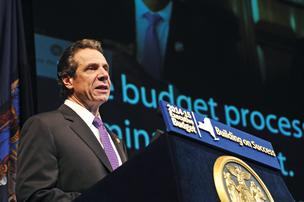
 That must come as a relief for Verizon. The state’s largest phone company has petitioned state officials in the past for a gradual mothballing of New York’s rural landline network in favor of switching customers to wireless voice and broadband over Verizon’s cellular network. Theoretically, taxpayers could end up subsidizing the demise of rural New York landlines and DSL if Verizon seeks money from the rural broadband fund to expand its wireless tower network in rural New York. Time Warner Cable almost certainly will also seek more funding, probably in excess of the average $1,264 paid to the cable company for each of the 4,114 additional connections it agreed to complete during an earlier round of funding.
 “The telecommunications language will force the governor to veto this bill, as he has personally said and has also been repeated several times by other members of the administration,” Jim Zehringer, director of the Ohio Department of Natural Resources told the Ohio Senate’s Agriculture Committee during an informal hearing on the legislation. “We would be sacrificing all the great work done so far on this bill if these provisions are not removed.”